Is your Mac clipboard private?
What any app can read from your clipboard, what macOS 26 changed, why password managers mark their clips, and what to ask of a clipboard manager before installing one.
Short answer
Historically, any app running on your Mac could read the clipboard silently, at any time, with no permission and no record. macOS 26 changed that: an app that reads the pasteboard without you triggering a paste now has to ask. A clipboard manager is the one app you deliberately exempt from that, which makes where it stores the history the entire question.
Think about what has been on your clipboard this week: a password out of a password manager, a two-factor code, a client's address, an API key or a paragraph of a contract. The clipboard is where every category of sensitive data passes through, and every clipboard manager makes a choice about where that history goes next.
What any app could read
The general pasteboard was designed for sharing. That is why copy and paste works between apps that know nothing about each other. The consequence is that reading it required no permission. Any app you launched could poll the pasteboard in the background, at any interval, and see everything you copied, with no prompt, no entry in System Settings and no record afterwards.
This was not theoretical. In 2020 a wave of iOS apps were caught reading the pasteboard on every launch after iOS 14 started announcing it, and the same code ran on macOS with nothing to announce it.
What macOS 26 changed
macOS now treats programmatic pasteboard reads the way iOS does. When an app reads pasteboard contents that it did not write, and you did not trigger a paste, the system asks you first. You can decide per app whether to allow it always, never, or be asked each time.
This is a real improvement, but a clipboard manager still needs permission to read the pasteboard. Its job depends on that access. The important question is what the manager does with your history once you grant permission.
How password managers mark copied passwords
Password managers put copied credentials on the pasteboard with a marker type, org.nspasteboard.ConcealedType, which means: this is a secret, do not record it. A related marker, org.nspasteboard.TransientType, means: this is throwaway, do not keep it.
Neither is enforced by macOS. They are a convention that clipboard managers choose to honour or ignore, and there is no system-level consequence for ignoring one. Most password managers also clear the clipboard after a timeout, which helps against the next app to look but does nothing about a manager that already recorded it. Whether the manager you install respects these flags is worth checking, and worth being able to find an answer to.
The questions to ask a clipboard manager
- Where does the history live, exactly?A file in Application Support, an encrypted store, the developer's server, your iCloud. Each is a different set of people who can read it.
- Is it encrypted at rest, and with what key?“Encrypted” means little without saying where the key is. A key sitting next to the data protects against very little.
- Does anything leave the machine? Sync is the obvious one. Search-by-meaning and summarising features can also send clip contents to a cloud model, so check how they work.
- Can you exclude an app? Your password manager, your banking app, your medical records. Excluding at the source is stronger than deleting afterwards.
- Is deletion real? If there is a server copy, deleting locally is not deleting.
How Stowpad answers them
Stowpad treats every clip as potentially sensitive.
- History, attachments and derived metadata are encrypted, with the key in your login Keychain. Your account protects the key, and deleting it makes any leftover copy unreadable.
- Clipboard history stays on your Mac. Stowpad has no account, sign-in or server copy. Deleting it on your Mac removes the only copy Stowpad holds, and your history is unavailable on your other Macs.
- Search, OCR, table recognition and the writing tools run on device. Generative features use Apple Intelligence locally and do not use Private Cloud Compute or another cloud provider. Ollama is available as a local alternative, off by default, restricted to
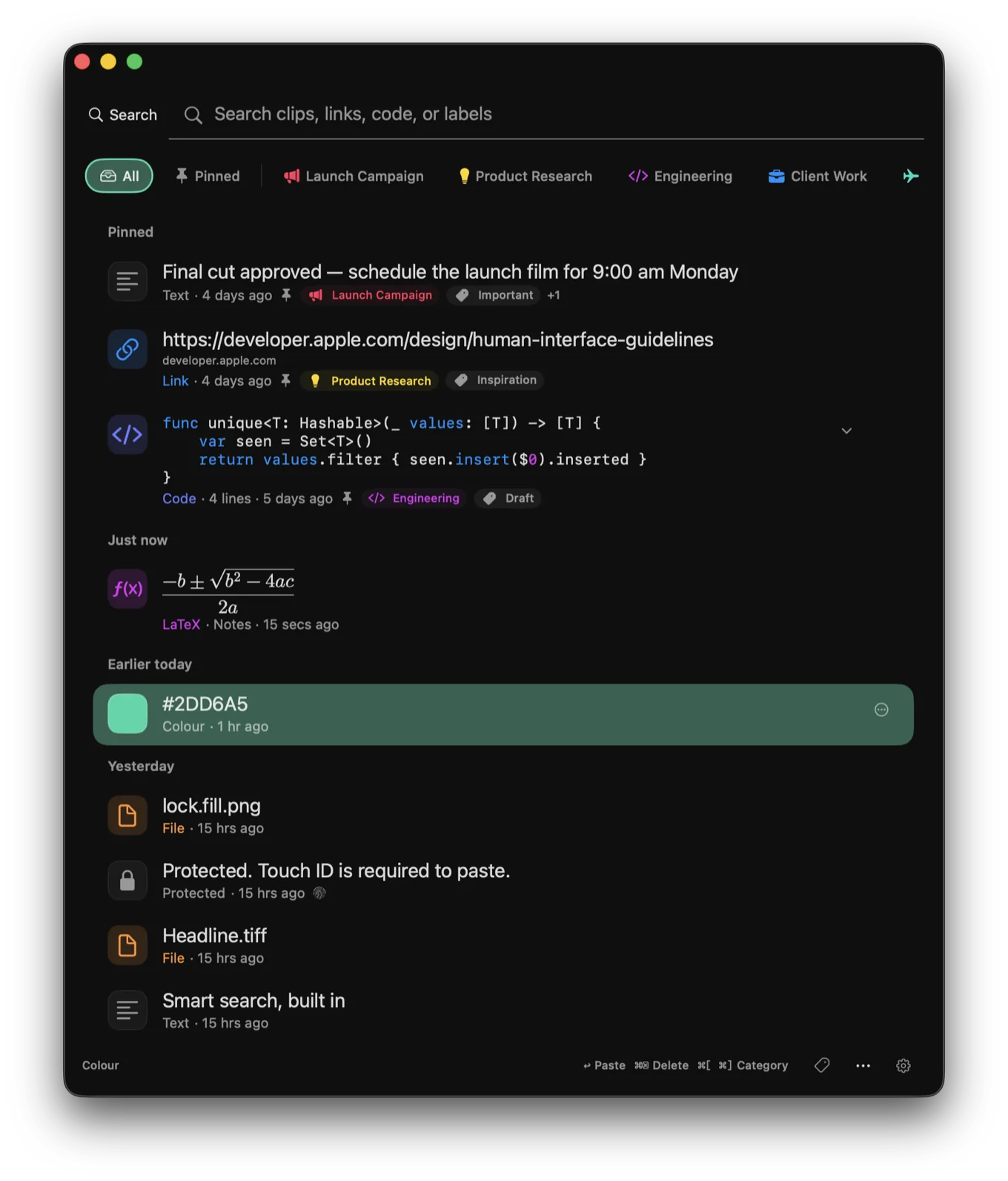
127.0.0.1and unable to be pointed at a remote host. - Apps can be marked protected. Clips from them are redacted in the interface, require Touch ID or your Mac password before they can be pasted or read, and are excluded from search indexes, suggestions, OCR-derived metadata and every model request. Protecting an app also removes metadata already retained from its earlier clips.
- One feature makes a network request: reference lookup sends a DOI to doi.org, only after you enable it and press Look Up, never on capture and never in the background.
The privacy policy explains what doi.org retains and what the marketing site collects. If you are deciding between managers, the section headings there are a reasonable checklist to hold any of them to.
Related: how clipboard history works on a Mac.
Common questions
Can other apps read my Mac clipboard?
Until recently, any app you ran could read the general pasteboard at any moment without asking and without leaving a trace. macOS 26 introduced a prompt when an app reads pasteboard contents it did not put there and you did not paste, and per-app control over whether to allow it.
Do password managers protect copied passwords?
Partly. Most clear the clipboard after a timeout and mark copied credentials with the org.nspasteboard.ConcealedType flag. Clipboard managers have to choose to honour that flag because macOS does not enforce it.
Where does a clipboard manager store its history?
That varies, and it is the question to ask before installing one. Some keep a plain-text database on disk. Some sync history to their own servers or to iCloud so it is available on other devices. Some send clip contents to a cloud model for search or summarising. Each of those is a different answer to 'who else can read what I copied'.
How does Stowpad handle sensitive clips?
History, attachments and derived metadata are encrypted with a key in your login Keychain, and nothing is synced anywhere. You can mark specific apps as protected: clips from them are redacted in the interface, require Touch ID or your Mac password before they can be pasted or read, and are excluded from search indexes, suggestions and any model request.
Does Stowpad send anything I copy to a server?
No. Clipboard contents stay on your Mac. Search, OCR, table recognition and writing tools run on device, including generative features powered by Apple Intelligence. Reference lookup is the only feature that makes a network request. It sends a DOI to doi.org after you enable it and press Look Up.
Stowpad for Mac
An encrypted clipboard history that stays on your Mac, with on-device OCR, table capture and a colour picker. Free for the newest 30 clips; Pro adds unlimited history and the local tools above.
Get on the Mac App Store