Stowpad

Everything you copy.Ready when you need it.

Stowpad remembers everything you copy, so you can paste it back into any app whenever you need it. Text, code, colours, formulas, images and tables—all kept on your Mac.

Coming to the Mac App StoreVOpen Stowpad anywhere
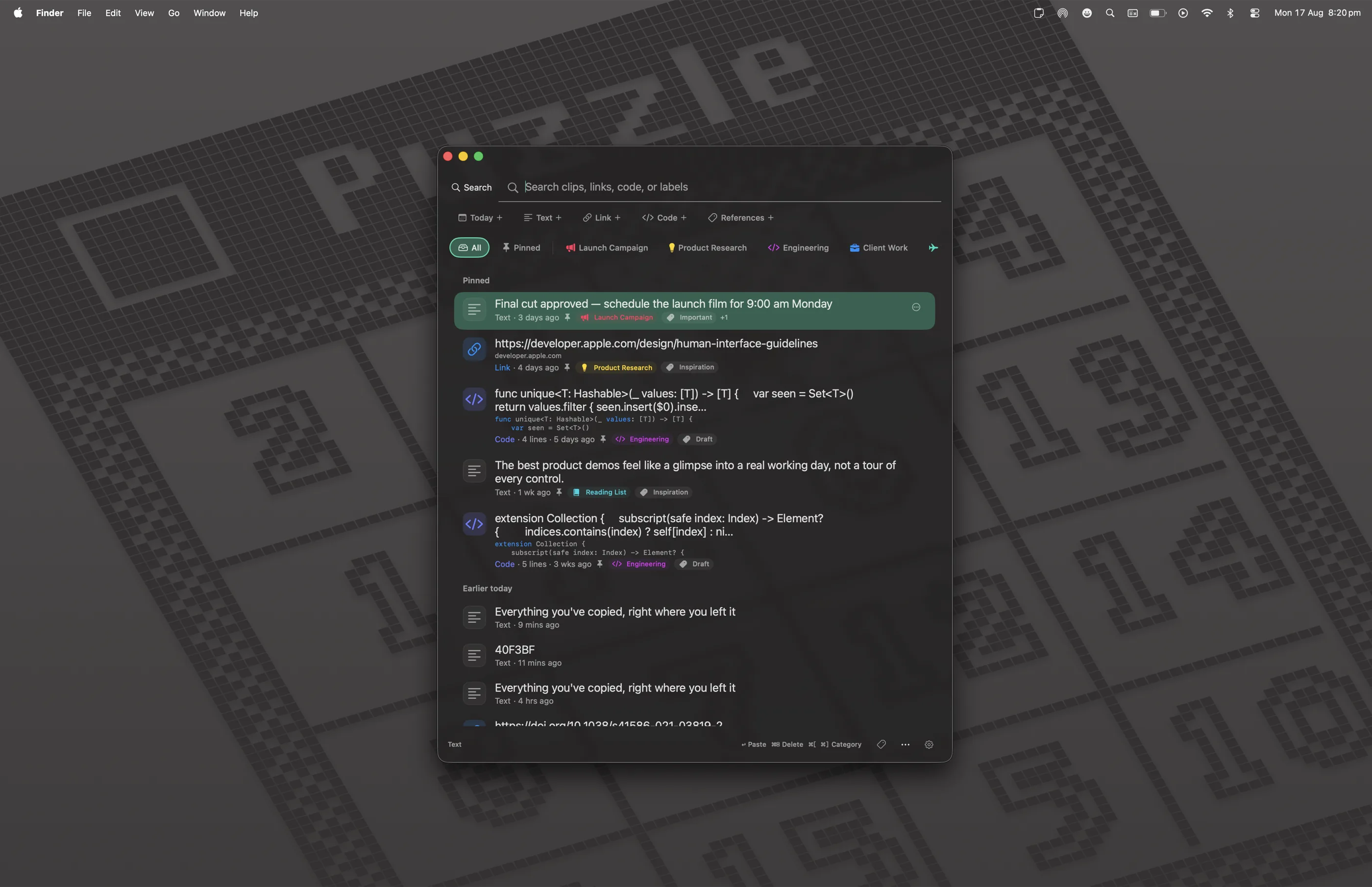
Stowpad open on a Mac desktop, showing pinned clips, code, links and colours.

How it works

Copy as you always doC

In any app. Stowpad saves each clip in the background — there is nothing to set up and nothing to press.

Stowpad remembers it

Your history stays on this Mac, encrypted and searchable. Every clip keeps its type, its source app and its formatting.

Paste it anywhereV

Stowpad opens over whatever you are working in. Pick a clip and it pastes straight into that app — days or weeks later.

Capture anything on screen

Select a region and Stowpad reads it locally. Tables keep their rows and columns.

Find any clip in seconds

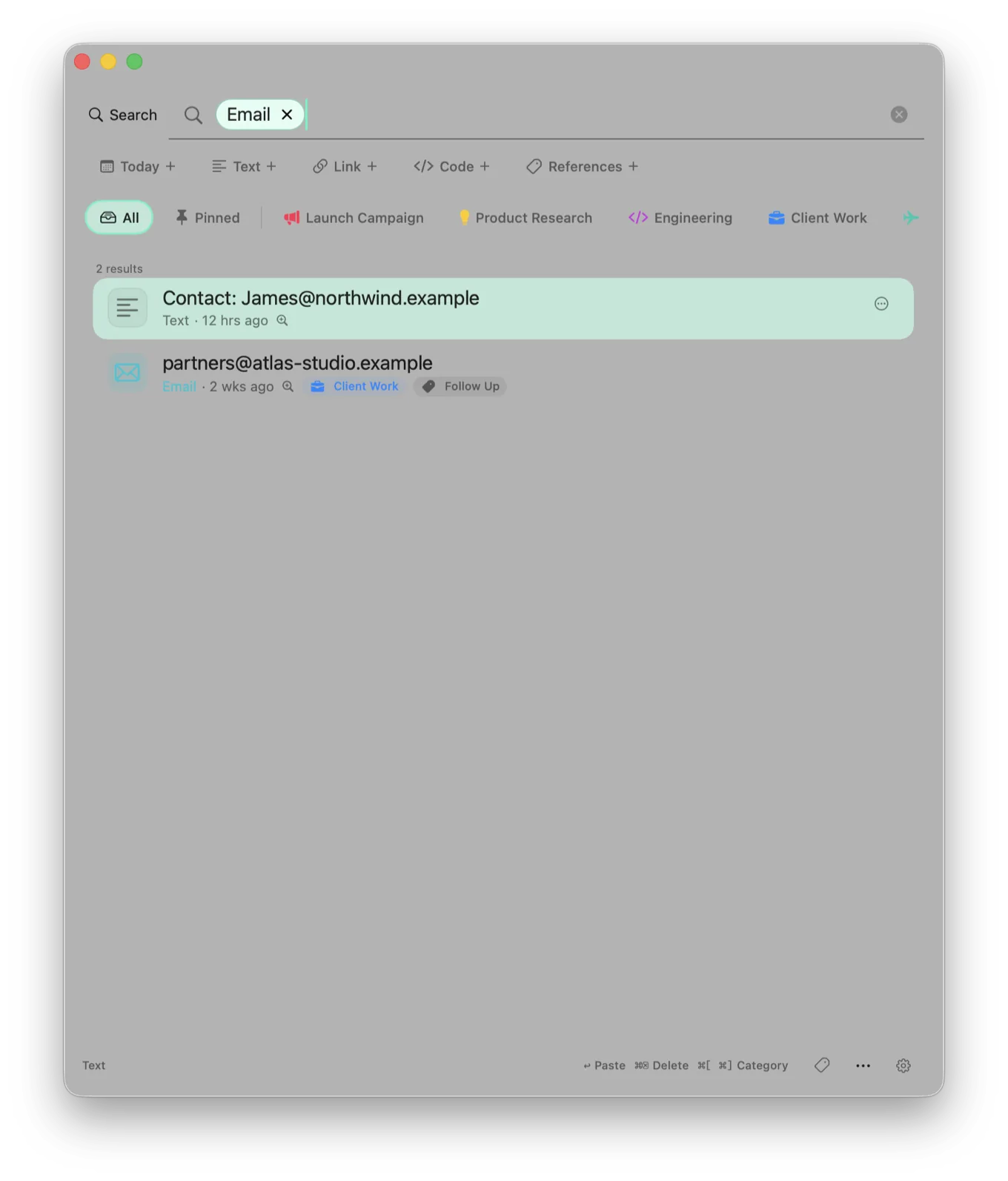
Search the words, filter by app, type or date, or just ask a question.

Every type understood

Code keeps its indentation, formulas render as maths, colours become swatches.

Never leaves your Mac

History is encrypted on device. No cloud sync, no account, no telemetry.

Copy text, code, colours, formulas, images or a table from anywhere. Stowpad keeps it organised, searchable and ready to paste—without turning your clipboard into somebody else’s data.

Clipboard management

More than a stack of things you copied.

Pin what matters, group clips into collections you name and colour, add tags in batches, and paste without leaving the app you are working in. Rules can file new clips as they arrive, and deleting a label never deletes the clips attached to it.

  • Keyboard-first panel and paste flow
  • Pins, collections and tags
  • Local rules that file clips as they come in
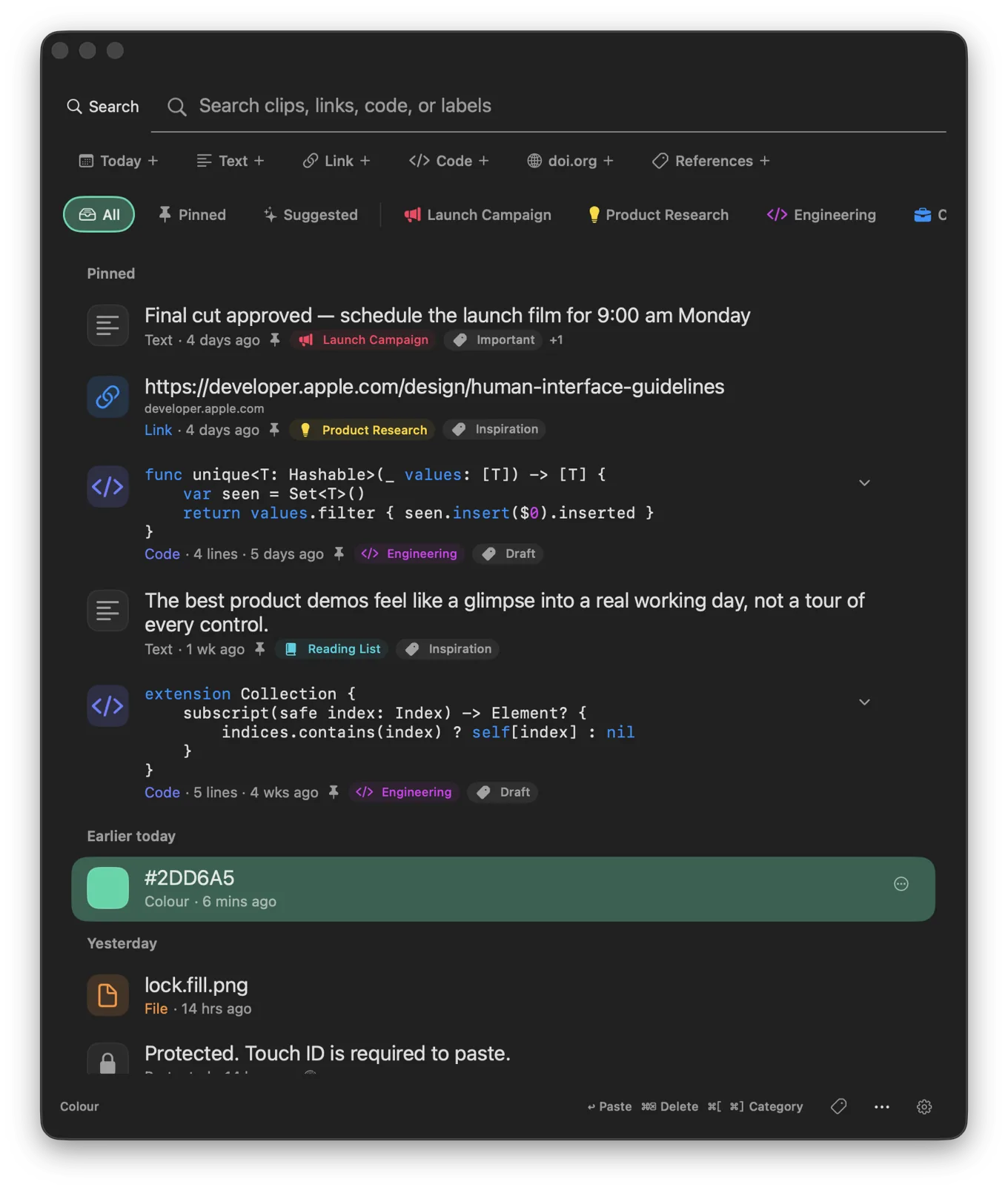
Stowpad clipboard history with pinned text, links and expanded code clips.
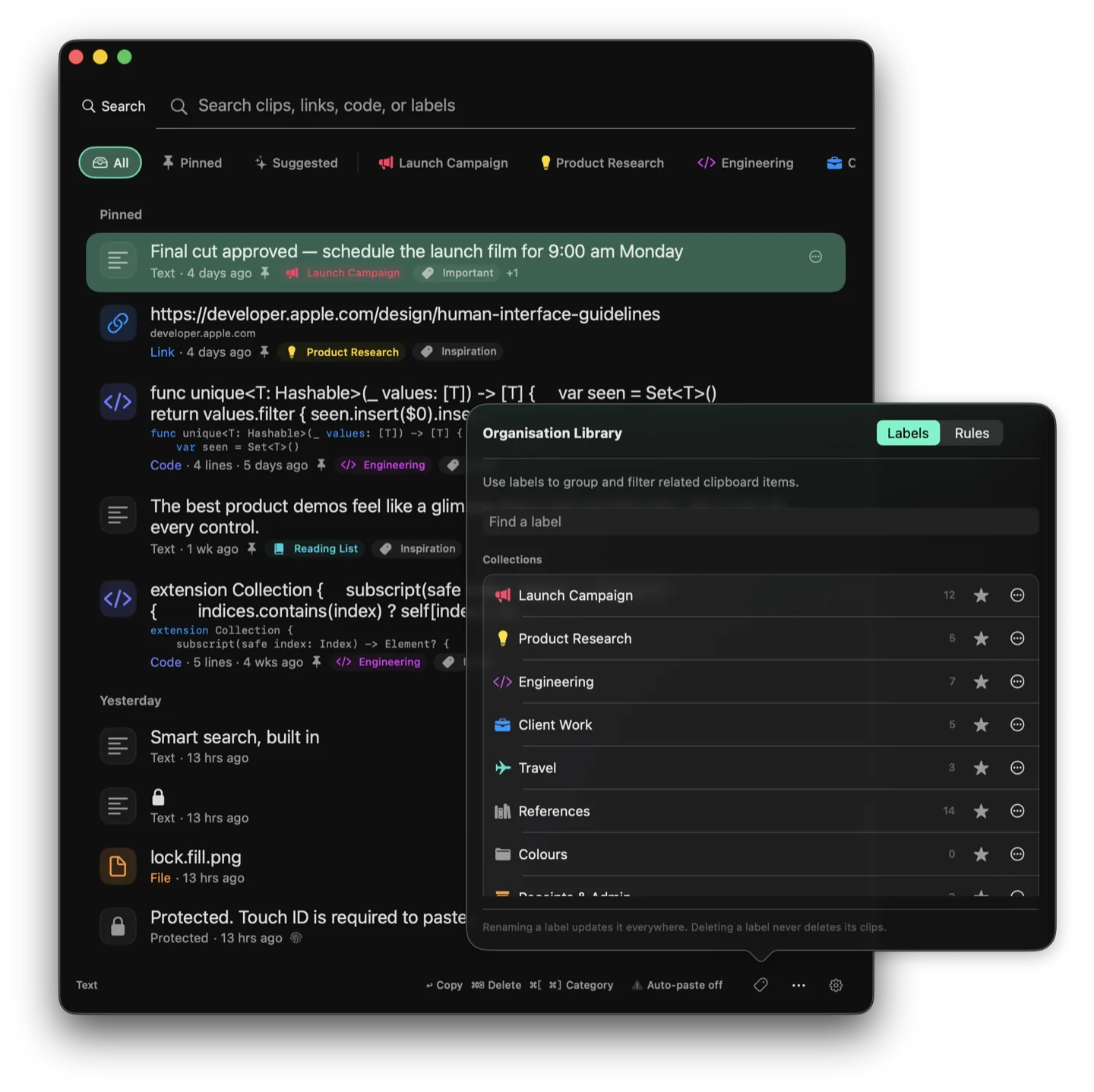
Organisation library open over the clipboard history, with collections such as Launch Campaign, Engineering and References.

OCR & table capture

Point. Capture. Paste.

Press ⌘⌃⇧T, select any region of your screen, and Stowpad turns it into editable text locally. Indentation reconstruction preserves code and nested lists instead of flattening their structure.

Tables keep their shape. Vision recognises rows and columns, then lets you review and copy them as Markdown, CSV, TSV, LaTeX or Booktabs, all on device.

Colour picker

Pick a colour from anywhere on screen.

Press ⌘⌃⇧P and click any pixel — another app’s interface, a photo, a video still. Stowpad copies the sRGB value and keeps it as a colour, ready to paste in any of these formats.

Hex
#40F3BF
Hex + Alpha
#40F3BFFF
RGB
rgb(64, 243, 191)
HSL
hsl(162.57deg, 88.177%, 60.196%)
HSB
hsb(162.57deg, 73.663%, 95.294%)
CSS
rgba(64, 243, 191, 1)

Stowpad reads the pixel and does not save a screenshot.

The right format for every clip

Stowpad knows what it is looking at.

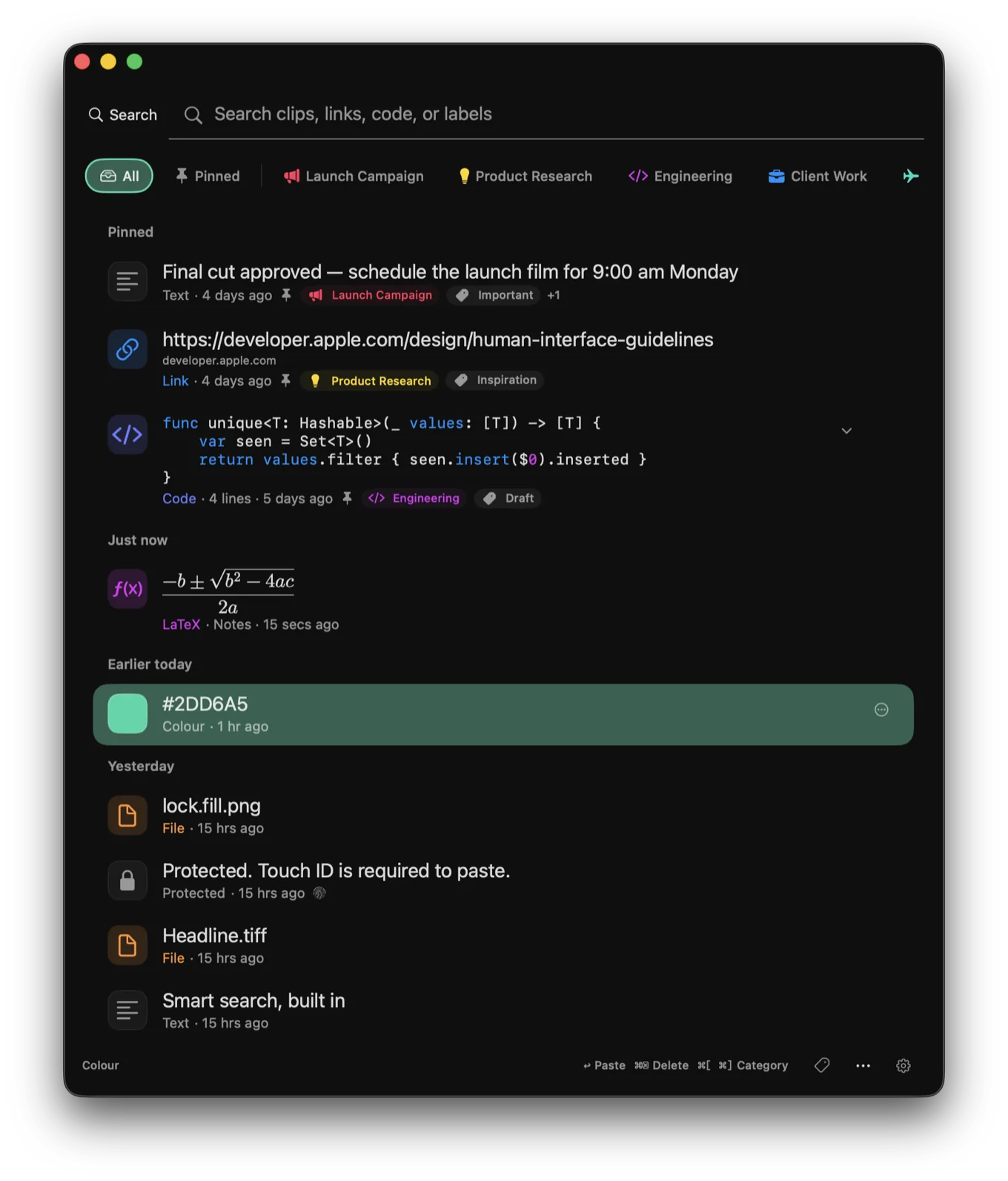
Formulas render as maths. Colour values become swatches. Code keeps its indentation. Tables retain their structure. References keep their identifier. Every type stays visually distinct without making ordinary text feel busy.

Clipboard history with a rendered LaTeX formula, a colour swatch, files and a protected clip.
Text
Code
JSON
Links
Email
Phone
Colours
Images
Files
LaTeX
Tables
References

Local actions & suggestions

Useful intelligence. Still your decision.

Smart search understands plain language. Writing tools use the Apple Intelligence model on your Mac. Convert actions do not need a model at all.

Convert

Format JSON, XML and tables. Decode Base64 and URLs. Manage colour palettes in hex, RGB, CSS and more. Format citations in APA, MLA, Chicago, Harvard, IEEE, Vancouver, BibTeX, BibLaTeX or RIS. None of this needs a model at all.

Write

Summarise, clean formatting, extract tasks, make concise or formal, fix grammar, explain code, suggest a title. These use the Apple Intelligence model on your Mac.

Suggest

Suggested and Related clips explain why they surfaced, and organisation proposals stay as proposals. Nothing is saved until you copy, save or apply it.

Private by construction

Your clipboard, not ours.

Stowpad is designed around the assumption that anything you copy could be sensitive.

Encrypted

Saved history, attachments and local smart metadata are encrypted with a key held in your login Keychain.

Protected apps stay protected

Copies from apps you choose are redacted and require Touch ID or your Mac password before paste.

On-device by default

OCR, table recognition, search and Apple Intelligence run on your Mac.

You approve every write

Generated text and suggested labels remain previews until you explicitly copy, save or apply them.

Free and Pro

Useful on Free. Room to grow on Pro.

Stowpad is fully usable without a subscription. Pro is an annual App Store purchase if you want the history and local tools to go further.

Free

$0 forever

Keep track of your clipboard.

Pro

$XX per year

Advanced tools and on-device intelligence.

Clipboard history
Newest 30 clips
Unlimited
Older clips
Encrypted in Locked History, exportable
Stay in your history
Search
Keyword and structured
Smart search and on-device questions
Rich previews for every type
Included
Included
Pins
Included
Included
Screen text capture
Included
Included
Colour picker
Included
Included
Table capture
Not included
Review and export
Collections, tags and rules
Not included
Included
Conversions and writing actions
Not included
Included
Citations
Not included
Nine referencing styles

Pro: 14-day free trial · No account required

Stowpad

Stowpad for Mac

Keep the things you copy close.

Get Stowpad on the Mac App Store. Free includes the newest 30 clips, keyword search and rich previews. Pro adds unlimited history and the local tools on this page — 14-day trial, no account.

Coming to the Mac App Store